
Blog · Device Repair · October 27, 2026
Cracked Phone Screen: How Long Can You Keep Using It?
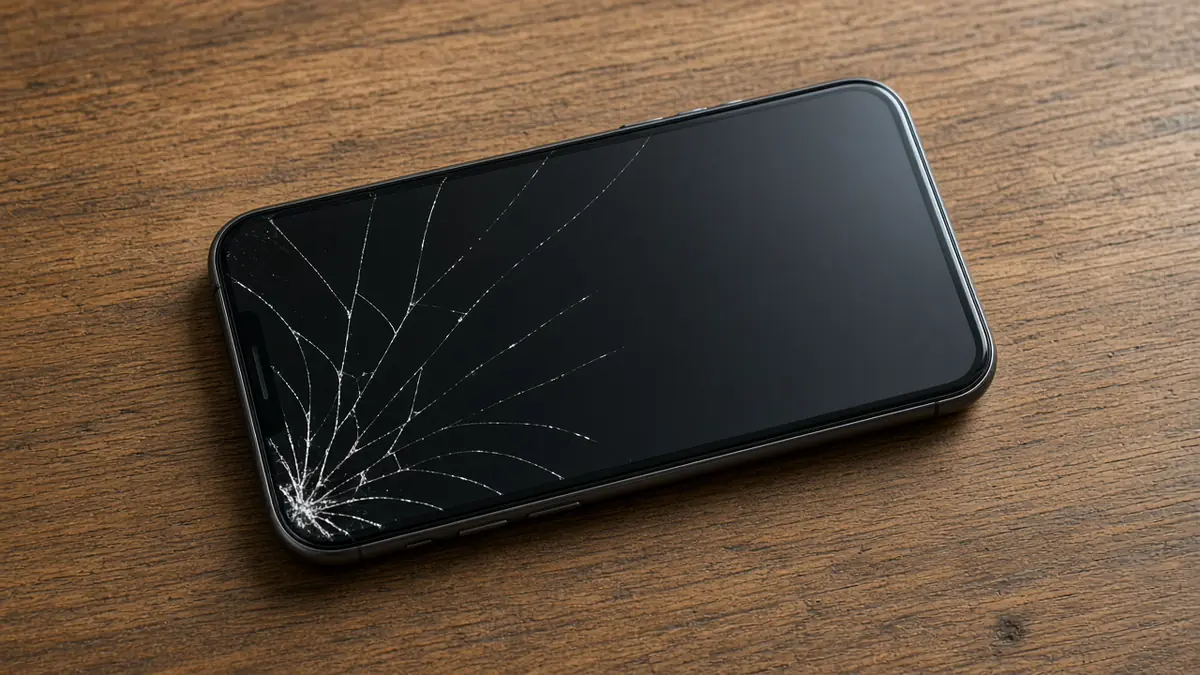
Straight answer first: a small crack that doesn't affect touch can sometimes ride for a while, but a cracked screen is never as safe or as protected as an intact one, and some cracks need attention right away. Apple's own safety guidance is direct about it: don't use an iPhone with cracked glass, because it may cause injury. That's the official line. Here's how to think through the real-world middle ground.
Why a crack matters even when the phone still works
- Cuts. Glass edges and tiny shards can catch fingers and cheeks, especially when you swipe across the cracked area or hold the phone to your ear.
- Water and dust. Water resistance depends on the glass and the seals being intact. Apple notes that water resistance isn't permanent and decreases with normal wear. A crack gives moisture and dust a way in.
- Cracks spread. Cold mornings, pressure in a pocket and one more small drop can turn a corner crack into one that runs across the whole screen.
- The display underneath. On most phones the glass and the display panel are bonded together. Once the panel gets damaged you may see lines, black blotches or flicker, and touch can start acting on its own.
Signs you should stop using it now
- Glass is chipping or flaking, or you can feel sharp edges.
- The screen is lifting or the phone looks pushed apart. That can mean a swollen battery, which is a fire risk. Stop charging it, keep it away from anything flammable, and get it looked at.
- Touch is registering by itself, opening apps or typing. That's often called ghost touch, and it can call people or send messages you never meant to send.
- Black spots, ink-like blotches or bright lines are growing.
- The phone got wet after it cracked.
- The phone gets unusually hot. Apple's guidance is to stop using a device if you suspect damage to the phone or battery.
When it's reasonable to wait a bit
A hairline crack in a corner, nothing sharp, touch works everywhere, and the display looks normal. In that case you probably have time to back up the phone and pick an appointment that fits your week. How long "a bit" is depends on you. The more the phone rides in a pocket, goes out in the cold or rain, or gets dropped, the faster things tend to change.
How to protect it until it's fixed
- Back it up today. If touch gets worse, getting into the phone to back it up gets much harder. Use iCloud or a computer backup on iPhone, or your Google backup on Android.
- Put a clear screen protector over the crack. It holds small pieces in place and protects your fingers. Clear packing tape works in a pinch, as long as it stays off the earpiece, cameras and sensors and doesn't wrap around the edges.
- Use a case with a raised lip so the screen isn't the first thing to hit the ground next time.
- Keep it dry. No phone in the bathroom during a shower, and no long texting sessions in the rain.
- Work around a dead spot. If part of the screen stops responding, iPhone features like Voice Control or AssistiveTouch can help you reach buttons the cracked area won't register. On Android, Google's Voice Access does a similar job.
Front glass, back glass, and camera glass
Many phones have glass on the back too, and a small glass cover over each camera. A cracked back usually doesn't affect the display, but the same rules about sharp edges and water apply, and it's a separate repair from the screen. A cracked camera cover can make photos look hazy or full of glare even when the camera itself is fine.
Don't forget what else the drop might have done
A drop hard enough to crack glass can also bend a frame, loosen a connector or hurt the battery. After a fall, keep an eye on charging, sound, cameras and whether the phone runs hotter than usual. Mention any of that when you bring it in, because it changes what the repair should include.
What a screen repair involves here
A screen replacement usually means replacing the glass and display together as one part. Before quoting, we check whether the drop damaged anything else, so you know the full picture before you decide. After the repair we test touch across the whole screen, brightness, the front camera, the earpiece and the sensors before the phone goes back to you. Estimates are free, and repairs carry a 30-day warranty. If the phone has other problems that make a screen repair a poor deal, we'll tell you that too.
Want us to take a look?
Tech Station is an appointment-only repair shop at 6 Northway Lane, Latham, NY 12110. We work on phones, consoles, computers, tablets and plenty of other electronics, so if your device isn't mentioned here, ask anyway. Pick whichever of these is easiest for you:
- Book online: choose a time that works for you on our online booking calendar.
- Call us: 518-900-1663 if you'd rather talk it through first.
- Text us: send a quick description (and a photo if you can) to 518-900-1663.
Estimates are free. If a diagnostic is needed, it runs $40 to $100, and we explain it and get your okay before we start. Repairs come with a 30-day warranty, and we offer free pickup and delivery within 5 miles of the shop. We can't promise every device can be fixed, but we'll always tell you what we find.